Easewe Software --> FAQ
Loading...
Easwe Forex Price Voice Alerter
Q:How to use? Back to top
A:Alerter will display eight general currency pairs in price bar at the first time you run.


For more information,please visit "Instructions of use"
Q:How to hide MT4 quickly? Back to top
A:You can hide MT4 by click price bar or press hotkey.
Q:How to pop-up price window? Back to top
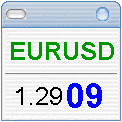
A:Click the header of currency column in price bar,it will popup a float price window。
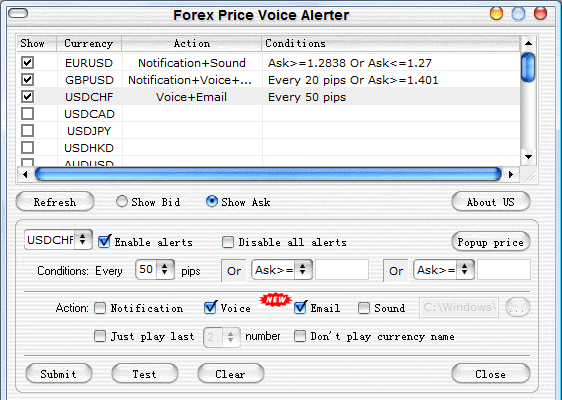
Q:How to configure the alert conditions? Back to top
A:
This program can alert you with voice or tray message when the price reach a predefined level or change every few pips.
Q:What is Additional License? Back to top
A:"Additional License" allow registered users to use the software in other computer.
For example:If you have three computers,you need to buy one "New License" and two "Additional License".
Q:What should I do after submitting the order? Back to top

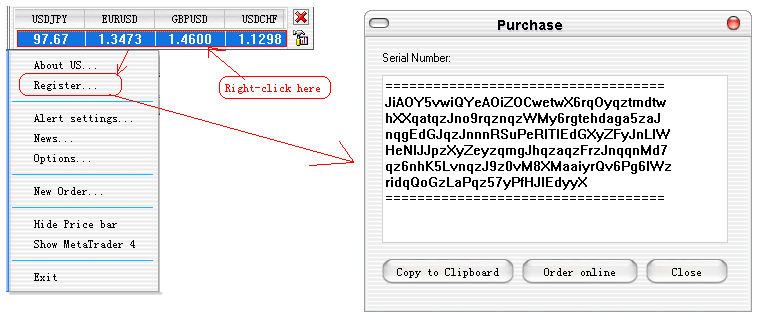
A:Please send us the serial number of your computer.
You can find the serial number in "Register" dialog of Forex Alerter.Such as below:

We will send the registration version to you within 24 hours after receiving the serial number.

Q:How I do if the licensed computer is broken? Back to top
A:You need to purchase an Additional License to use the software in new computer.
Q:Can I move the license from current computer to new one? Back to top
A:No,You need to purchase an Additional License to use the software in new computer.

Q:Is tech support free? Back to top
A:Yes! It's free for all.
Q:Do I have to pay for the upgrades? Back to top
A:No! All upgrades are free to our registered users.
Q:I have more questions - who should I write to? Back to top
A:Please send your additional questions to easewe@gmail.com or Contact us by Instant Messaging.